
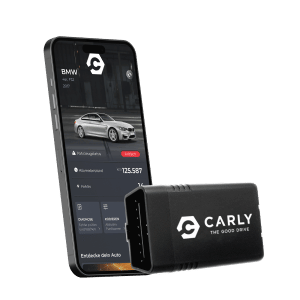
Want to learn about seat belt reminder driver coding BMW in your BMW? This guide will show you how to disable or adjust your seat belt reminders. We’ll discuss why you might want to code these reminders, the necessary tools, and a step-by-step process using the Carly scanner. Plus, we’ll cover common issues and legal considerations.
Key Takeaways
- Seat belt reminders in BMWs use sensors to ensure safety but can be annoying, leading some drivers to seek coding options.
- Drivers code their seat belt reminders mainly to reduce distractions and customize their driving experience, with tools like the Carly scanner making it easy.
- Before modifying seat belt reminders, drivers should be aware of legal implications and safety risks, as disabling the system might affect crucial features.
Understanding Seat Belt Reminders
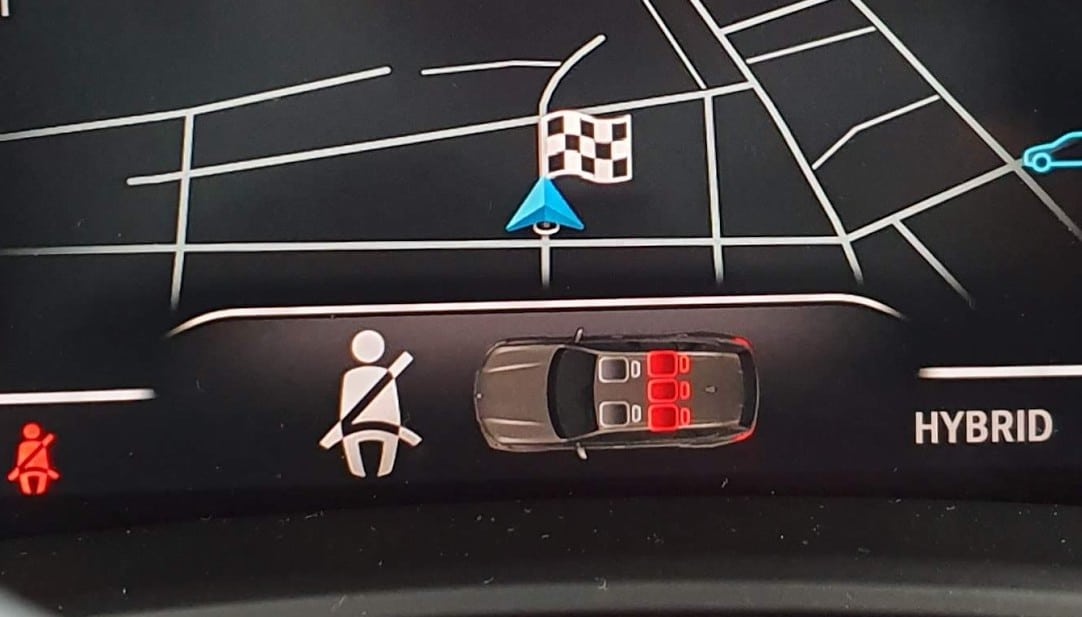
Seat belt reminders are designed to alert drivers and passengers to fasten their seat belts for enhanced safety. In BMW vehicles, these reminders use a combination of a seat occupancy mat and a buckle switch to detect whether a seat is occupied and the seat belt is unfastened. This system is quite sophisticated, ensuring that both visual and auditory alerts, including the seat belt chime, are triggered to encourage users to buckle up.
The primary purpose of these reminders is to reduce the risk of injury in the event of a collision by ensuring that all occupants are securely fastened. When the system detects an occupied seat without a buckled seat belt, it activates warnings to prompt compliance. Often linked to the vehicle’s ignition, these reminders come to life once the engine is running, creating an immediate and persistent reminder.
Knowing the mechanics of these reminders is vital, particularly when planning any modifications. While their intent is undeniably beneficial, the constant alerts can sometimes be more of a distraction than a help, which is why many drivers consider coding their seat belt reminders.
Reasons to Code Your Seat Belt Reminder
So, why would anyone want to code their seat belt reminder? For starters, the constant beeping and visual warnings can be incredibly distracting, particularly on short trips where some drivers feel that seat belts are unnecessary. The repetitive reminders can quickly become a source of irritation, leading many to seek ways to turn off the warning system.
Some drivers choose to disable the seat belt reminder for the following reasons:
- Personal comfort and customization.
- To tailor their vehicle’s settings to better match their driving habits without compromising safety.
- To avoid false alarms, especially in situations where a passenger frequently enters and exits the vehicle.
In the end, driver have varied reasons for coding their seat belt reminders. Whether it’s to reduce distractions, enhance comfort, or simply avoid the annoyance of constant chime, coded offers a solution that puts you in control of your driving experience. This quote reflects the importance of personalized reminders.
Tools Needed for Coding
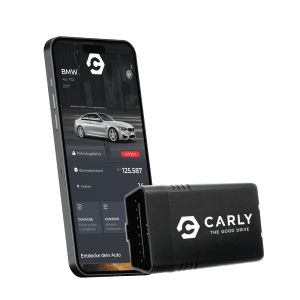
Before starting the coding process, gather the necessary tools. The Carly Universal Scanner is your go-to device for accessing and coding BMW systems and modules. Priced at €64.80, it offers an intuitive interface that simplifies the process.
With the Carly app, you can access specific vehicle settings, such as the seat belt reminder, through the coding menu. This app is designed to be user-friendly, making it easy even for those who aren’t particularly tech-savvy. Within the app, you’ll find various customizable features, including the option to adjust the seat belt reminder settings.
You’ll also need a smartphone to complete the setup alongside the Carly scanner and app. With these tools ready, you can begin coding and customizing your BMW to fit your preferences.
Step-by-Step Guide to Coding with Carly
With your tools prepared, follow this step-by-step guide to code your seat belt reminder using Carly. This process is straightforward and can be broken down into three main steps: plugging in the Carly scanner, connecting via Bluetooth, and navigating to the seat belt reminder settings.
Plugging in the Carly Scanner
The first step in your coding journey is to:
- Plug the Carly scanner into your vehicle’s OBD-II socket. This port is typically located underneath the dashboard near the driver’s seat, within two feet of the steering wheel. The location of the OBD-II port is crucial for a successful connection. Once you’ve turned the ignition of your vehicle, connect the scanner.
- Start the ignition of your vehicle.
The Carly adapter will establish a connection, allowing you to continue with the next steps.
Connecting via Bluetooth
Then, connect your smartphone to the Carly scanner via Bluetooth by following these steps:
- Download the Carly app from the App Store or Google Play.
- Once installed, open the app.
- Follow the prompts to establish a Bluetooth connection with the Carly scanner.
This connection allows communication between your phone and the vehicle, enabling access to edit various settings and light.
Navigating to Seat Belt Reminder Settings
Once connected, follow these steps to navigate to the seat belt reminder settings in the Carly app:
- Launch the app.
- Select your vehicle model.
- Locate the coding menu.
- Within this menu, find the option for seat belt reminder settings.
Adjust these settings to enable or disable the seat belt reminders based on your preferences. The app’s intuitive interface makes this process straightforward, ensuring that you can easily customize your vehicle’s alerts to suit your needs.
Common Issues and Fixes
Despite the ease of use, you might encounter some common issues when coding your seat belt reminder. For instance, some users find that their vehicle still goes into neutral if the seatbelt is not fastened, even after coding. This issue often arises because certain coding parameters differentiate between the seatbelt ‘reminder’ and ‘indicator,’ affecting functionality.
Another common problem is that the initial settings might override your desired outcome. It’s essential to carefully adjust these settings to ensure the correct functionality. Additionally, some vehicles allow short moving without wearing a seatbelt, which can be confusing if you’re expecting the set reminder to be entirely missing.
Revisiting and adjusting the edited coding options settings can often fix these issues, as saved patience and attention to detail are essential when customizing your vehicle’s past page sys systems in expert mode. Additionally, you may want to edit your posts and post new threads for further assistance and check for replies, following the rules.
Legal and Safety Considerations
Understanding the legal and safety implications is vital before coding your seat belt reminder. Disabling the seat belt reminder may lead to legal repercussions if it violates local vehicle safety laws. Always check the regulations in your area before making any modifications.
From a safety perspective, disabling the reminder can compromise important features like the seat belt pre-tensioner, which reduces slack during an accident. Additionally, if your vehicle goes into neutral when the seatbelt is unbuckled, this could be a result of disabling safety sensors designed to ensure safe driving.
Carefully weighing these considerations is important. Coding your seat belt reminder can enhance your driving experience, but it’s crucial to remember to do so responsibly and within legal bounds, as you figure out the best practices.
Additional Features of Carly Scanner
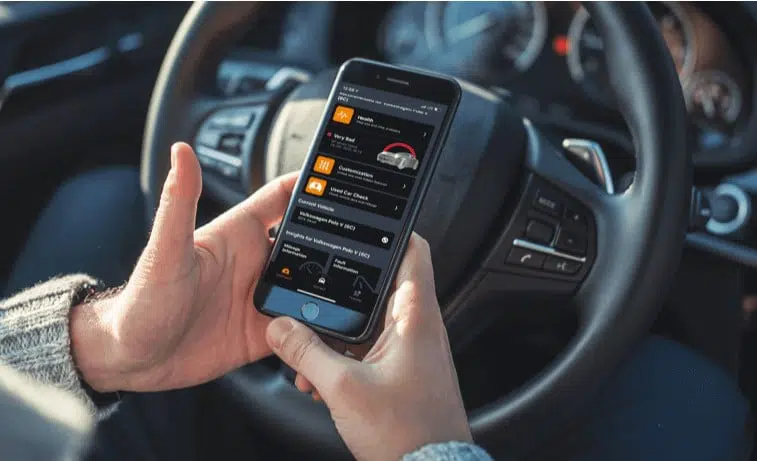
The Carly scanner offers more than just seat belt reminder coding. This versatile tool is designed for enhanced vehicle diagnostics and customization, including a cluster of features. You can check your vehicle’s condition, clear fault codes, and even service your car yourself. Test.
One of the standout Feature is the ability to perform advanced coding capabilities, allowing you to tailor various aspects of your vehicle to your liking. Whether you’re looking to enhance performance, customize alerts, or simply keep your car in top condition, the Carly scanner provides significant benefits for managing your vehicle’s performance and maintenance.
Investing in a Carly scanner is a smart move for any BMW owner who values both customization and comprehensive vehicle diagnostics.
Summary
In summary, coding your BMW’s seat belt reminder with the Carly Universal Scanner is a straightforward process that offers significant benefits. From reducing distractions to customizing your driving experience, this guide has provided a comprehensive overview of the steps involved and the tools needed.
Remember, while customization can enhance your driving experience, it’s crucial to consider the legal and safety implications. Always ensure that your modifications comply with local laws and maintain the safety features of your vehicle. Happy coding!
Frequently Asked Questions
What is the starting price for the Carly Universal Scanner?
You’ll find the Carly Universal Scanner starting at about €64.80.
What can you do with the Carly scanner?
With the Carly scanner, you can easily check your vehicle’s condition, clear fault codes, and even handle some car maintenance yourself. It makes car care way more accessible!
What is the first step in using the Carly scanner?
To kick things off with the Carly scanner, just plug it into your vehicle’s OBD-II socket. It’s that simple!
How does the Carly adapter connect to the car’s systems?
The Carly adapter hooks up to your car’s systems as soon as you turn on the ignition. It’s that easy!
What is required to connect the Carly scanner to your phone?
To connect the Carly scanner to your phone, just download the Carly app and pair it via Bluetooth. It’s that simple!