
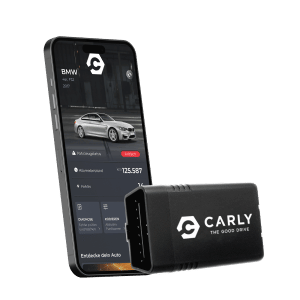
The terms OBD2 and OBD scanner are ones that the average motorist may hear on a casual visit to an automotive repair center. For enthusiasts, this has a rather more elaborate meaning as it refers to the OBD (On-Board Diagnostics) standard that is integral towards understanding various parameters of a car’s systems.
Our recommendations are based on editorially independent research and hands-on evaluation of various product categories in the automotive world, ensuring objective and trustworthy information.
What is an OBD scanner?
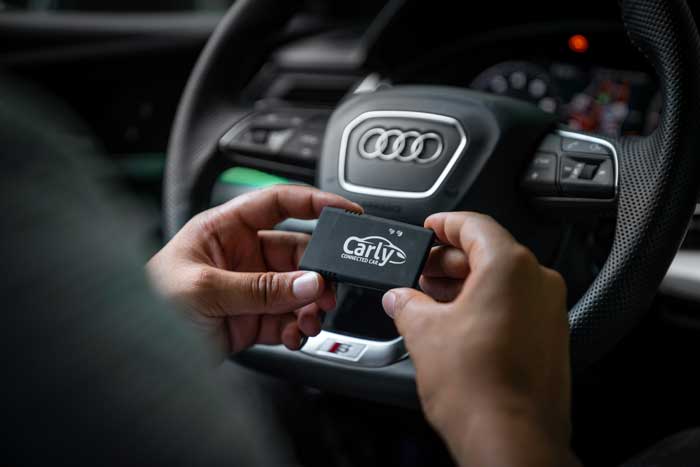
An OBD2 scanner is a small pocket-sized device. It can be plugged into almost every modern vehicle’s OBD port to get valuable information and real-time data about vehicle systems.
A wireless scanner can connect to your cellphone through Bluetooth, and let you access your car’s data through a mobile app. It’s that easy and convenient!
A Bluetooth scanner can range from €50 for basic models. However, if you are looking for professional scanners they can also cost up to four figures.
OBD-II scanners offer different levels of functionality. They range from basic fault code reading to advanced diagnostics, all the way to car coding and live parameters.
Modern OBD II scanners come equipped with advanced features such as code lookup functions, fault code summaries, and live data streaming. Live data streaming allows users to monitor engine sensors in real time, which is critical for diagnosing intermittent problems. OBD-II scanners can be categorized into two unofficial types: display scanners, which provide basic error codes, and diagnostic scanners, which offer more detailed information and advanced features. Advanced OBD-II scanners can also provide real-time data on vehicle performance metrics like engine temperature and fuel efficiency, making them useful for ongoing vehicle health monitoring.
Let us take you on a journey through the nuances of OBD. Whether you are a regular driver or car enthusiast, OBD-II scanners are the best tool you can have to save money and get more control.
The History of the OBD scanner
First of all, let us explain what OBD means in more detail. OBD is the abbreviation for on-board diagnostics. OBD2 refers to the second generation of the onboard diagnostic system.
OBD or onboard diagnostics is the system in a car that controls and monitors all the important control devices, offering data access with the appropriate hardware and software.
The crucial part of OBD is its ability to inform the reader of any error codes or abnormal behaviors about their vehicle. These errors are known as diagnostic trouble codes or fault codes.
Typically, when the system detects an error, it stores a requisite error code in its memory and illuminates a warning sign on the car’s dashboard. Usually, This is what happens when the annoying check engine light turns on.
OBD 1 — The Predecessor
OBD1 was conceptualized in the USA as a response towards efforts to reduce air pollution caused by the increase of automobiles across major cities. California led the push to “keep the air clean” with the California Air Resources Board (CARB) introducing stricter emission limits for gasoline vehicles in 1988. Compliance, just when the car was brand new, was not enough — the vehicle was required to comply for its lifetime.
So, an electronic self-monitoring system had to be developed to allow compliance checks at any point; hence the emergence of OBD1. A signal light alerted the user of an abnormal condition.
Other states adopted it in 1994. However, OBD1’s biggest failing was non-standardization, where automakers created and implemented their own systems, so multiple scanners were needed to read different systems. Manufacturers reserve the right to create their own diagnostic trouble codes when no generic code exists, resulting in each automaker having their own codes. These ‘own codes’ were unique to each manufacturer and contributed to the need for multiple scanners.
OBD2 — The Current Standard
In 1994, CARB mandated by regulation that all new motor vehicles from 1996 onwards must contain the newly developed OBD2 system. This would utilize a standardized interface allowing one OBD scanner to be used for different car manufacturers.
In this way, not only were emissions regulations monitored, but the entire exhaust-influencing system with the various processes in a vehicle would be under its purview. The standardization resulted in a streamlined experience to readout fault codes.
OBD2 made it to Europe by 2000, which dictated that emissions errors had to be indicated by a warning light on the dashboard and error codes recorded by the vehicle.
Since 2001, the OBD2 interface has been a regulation for all vehicles with Otto engines (petrol/gas engines). Diesel vehicles came under these regulations commencing in 2004.
The new standard made life much easier for repair centers, as well as car enthusiasts. Running an OBD scan can be costly in terms of time as well as money.
However, most people are unaware that there are OBD2 scanners for private usage, enabling them to have full control over their car and repair expenses.
Understanding OBD-II Ports
The OBD-II port is a universal gateway to your vehicle’s onboard computer, found in every car manufactured since 1996. This tiny little scanner interface is the key to unlocking a wealth of data about your car’s performance, from engine speed and fuel consumption to intake air temperature and cylinder efficiency. Most often, you’ll find the OBD-II port on the driver’s side, tucked beneath the dashboard, just above the pedals and below the steering wheel—making it easy to access when the check engine light suddenly appears.
When your check engine light comes on, it’s your car’s way of telling you something’s wrong. Plugging a modern OBD II scanner into the OBD II port allows you to communicate directly with your vehicle’s systems. Whether you’re using a traditional handheld device or one of the latest Bluetooth OBD II scanners paired with a free app, the process is straightforward: insert the scanner, turn the ignition to the “on” position (without starting the engine), and follow the prompts on your scanner or app.
Once connected, the scanner retrieves a five-character alphanumeric code—known as a DTC fault code—that pinpoints the specific fault detected by your vehicle’s computer. The first letter of this code identifies which of the four main systems is affected: “P” for powertrain (including powertrain B), “B” for body (such as body C), “C” for chassis, and “U” for network communications. The second character tells you whether it’s a generic OBD II code (applicable to all vehicles) or a manufacturer-specific code unique to your car’s brand. The remaining numbers provide further detail, narrowing down the exact component or system at fault, such as ignition systems, idle control systems, vehicle speed control, air metering, or even a specific injector circuit.
Many of the best OBD II scanners come equipped with a code lookup function, making it easy to translate these codes into plain language. Some advanced models go even further, offering live data streams, code definitions, verified fixes, and even repair costs estimates—helping you make informed purchasing choices and avoid unnecessary expenses. If you drive a hybrid or a vehicle with advanced auxiliary emission controls, look for a scanner that can diagnose issues with hybrid propulsion systems and other specialized components.
In today’s automotive world, having an OBD II scanner is like having a personal mechanic in your glovebox. These diagnostic tools empower you to diagnose issues quickly, monitor your vehicle’s health, and even prevent minor problems from escalating into costly repairs. Whether you’re troubleshooting gearbox faults, monitoring vehicle speed control, or checking readiness monitors, a quality scanner gives you detailed information and peace of mind.
When shopping for an OBD II scanner, rely on editorally independent reviews and recommendations based on personal experience, rather than sources that accept payment for placement. A strict policy against biased endorsements ensures you’re getting honest advice on the best Bluetooth scanner or handheld tool for your needs. With the right diagnostic tool, you’ll be well-equipped to tackle error codes, understand your vehicle’s systems, and keep your car running smoothly—no matter what the check engine light throws your way.
How does an OBD scanner work?
The OBD2 scanner is the interface between the car code reader and mobile app to facilitate troubleshooting and fault diagnosis on the vehicle. The OBD2 access port is a universal one that can typically be found in the driver’s area.
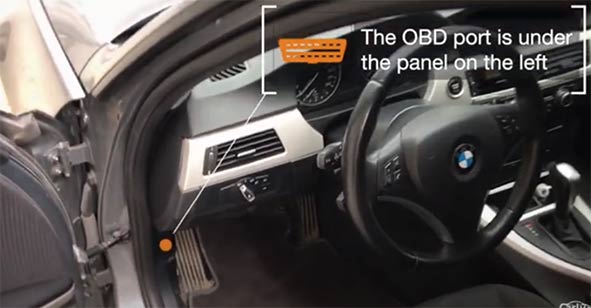
In some instances, it may be difficult to find as it may lie beneath the dashboard or behind the steering column. A quick online search with your vehicle’s exact make and model can help.
How To Use an OBD Scanner?
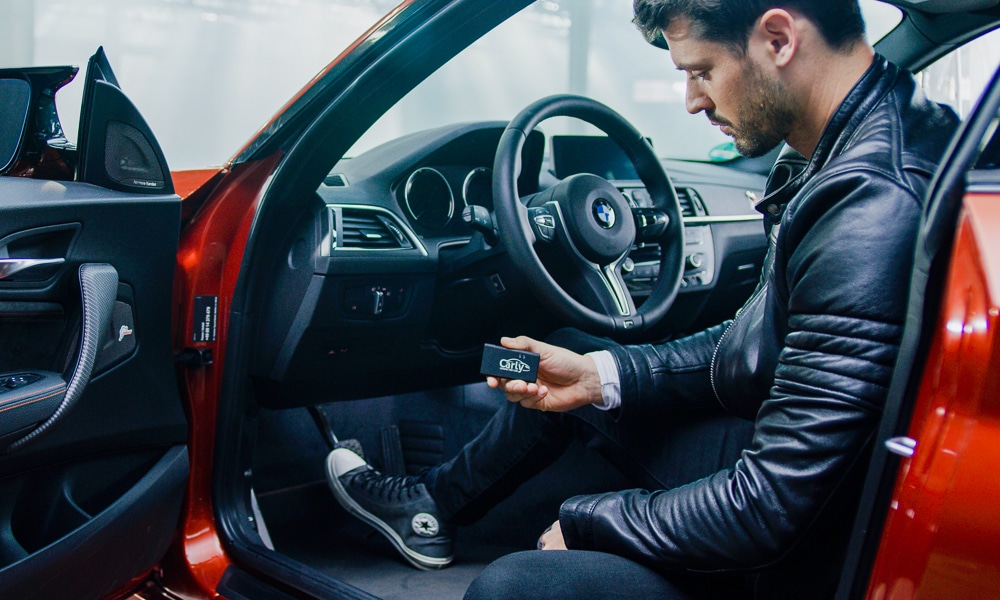
Locate the OBD-II port and connect your wireless scanner to it. The ignition switch of your car must be set to the “ON” position but it is not necessary to start the engine.
Then, pair the OBD scanner to your phone using Bluetooth and open the scanner’s mobile app on your phone.
Upon first-time use, the attached car code reader or mobile app will require vehicle data such as make, model, and year of manufacture.
Once you have your setup ready, you can start using all the features that your OBD2 scanner offers. Some car code readers only offer basic functions such as reading engine-related fault codes and just show every code definition. Whereas other code readers offer advanced features such as diagnostics for all systems, live parameters, car coding, DIY maintenance, and more!
Which Codes Do OBD2 Scanners Read?
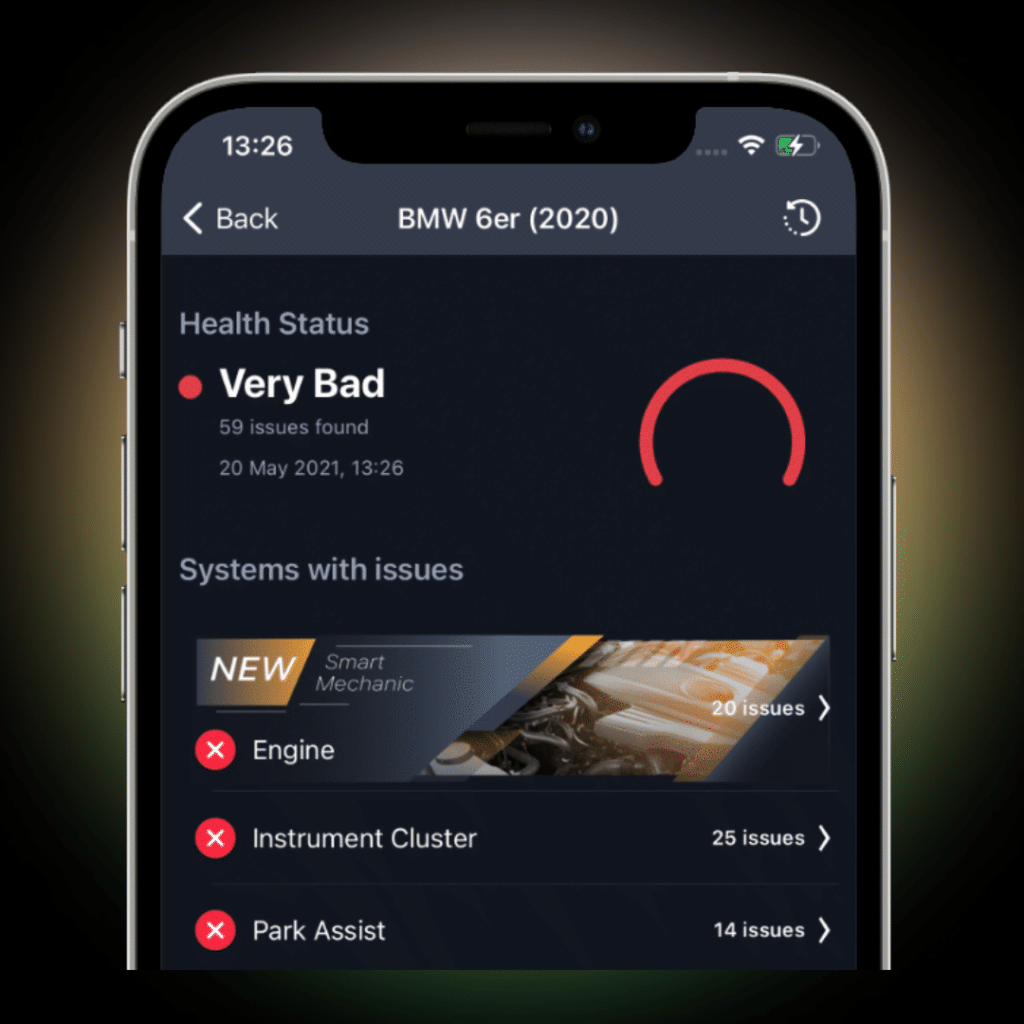
To perform diagnostics on your vehicle, the scan tool must first read your car’s error memory. Afterward, the OBD2 scanner accesses the vehicle control unit and analyzes the data. Most data may not be relevant, but the system typically scans all data.
If a sensor reading falls outside expected values, the ECU triggers a Check Engine light and stores a 5-digit Diagnostic Trouble Code (DTC). When the scan has concluded, the scan tool will produce a list of error codes that are currently affecting the vehicle. Some error codes can be ambiguous, in which case, you may still need to visit a workshop.
All manufacturers use standard error codes. Typically, enthusiast-level scanners will only read these for private use unless one is using a dedicated scanner and reader from the vehicle manufacturer.
Moreover, error codes are structured according to a uniform principle: each code starts with either a letter—a single letter—which denotes the main system affected. The letter denotes which system is involved, such as Powertrain, Chassis, Body, or User Network. The following four numbers denote specific information about the fault: the third character indicates the subsystem, while the fourth and fifth numbers identify the specific problem detected by the diagnostic trouble code. This structure helps pinpoint the exact fault or specific problem within the vehicle’s system.
Professional and expensive scanners can provide additional information about general vehicle functions, such as defective or non-functional lights.
The error codes that you can read out with a diagnostic scanner only contain information from the sensors and electronics from the following areas:
- Powertrain (Code “P” = Powertrain)
- Chassis (code “C” = chassis)
- Body (code “B” = body)
- Networks (code “U” = User Network)
Display OBD-II scanners provide basic error codes generated by a vehicle’s computer, requiring additional research to interpret their meanings. Diagnostic OBD-II scanners offer more detailed information about a vehicle’s systems, including features like technical service bulletins, module testing, and real-time data streaming.
This first letter allows the user to determine the location of the error.
The second digit relates to the error code group.
- 0: manufacturer-independent (generic code, standardized and recognized across all vehicle makes)
- 1: manufacturer-specific (manufacturer code, unique to the vehicle brand and used when no standard OBD-II code exists)
The third digit informs about the vehicle assemblies pertaining to the error.
The third character of the DTC code specifies which vehicle system is throwing a fault, helping to identify the particular subsystem affected by the issue:
- 0: refers to the overall system
- 1: stands for the secondary air/air mixture preparation
- 2: is a fault in the fuel system
- 3: concerns the ignition system/misfiring
- 4: quantifies all additional systems for emission monitoring
- 5: designates the cruise / idle speed control
- 6: relates to the computer and its input/output signals
- 7: stands for the transmission
Digits four and five are the consecutive numbers for the individual component that is providing the error.
The fourth and fifth numbers in a DTC code denote the specific fault within the vehicle’s system, with numbers between zero and 99 indicating different issues. These numbers help identify the particular problem detected by the diagnostic trouble code. An OBD scanner is an error-reading tool and a monitoring tool as well since it allows certain vehicle functions to be monitored. These functions can be monitored depending on the vehicle and the diagnostic tools used. Some manufacturers may even allow live control of certain systems.
These are the common parameters that an OBD2 can monitor in real-time:
- Engine load as a percentage
- Coolant temperature
- Engine speed (RPM)
- The voltage of the electrical system in Volts
- Fuel consumption in real-time
- Currently selected transmission gear
- Current vehicle speed and valid speed limits
- Ambient temperature in Celsius or Fahrenheit
Notes on Error Storage for vehicle systems
It is helpful to understand how error storage is performed, together with environmental data. The control system utilizes 5 factors when storing and handling stored errors. Thus, it is important to understand this when using an OBD2 scanner.
- Only reproducible errors are transferred to the error memory. If it is no longer confirmed during a subsequent driving cycle, the first entry is deleted from the memory.
- Information and errors relevant to exhaust emissions are always saved. They are allocated the highest priority.
- The check engine light will light up in the event of successive emissions-related errors.
- The Check Engine light will light up if there is damage or impaired operation of the catalytic converter.
- Exhaust-related errors are only automatically deleted from the error memory after 40 consecutive error-free journeys. For catalytic converter errors, the limit is 80 error-free journeys.
Types of OBD2 Scanners
The two main types of OBD scanners are those with a standalone diagnostic reader or those with a wireless connection to a smartphone and a mobile app.
Standalone handheld OBD-II scanners
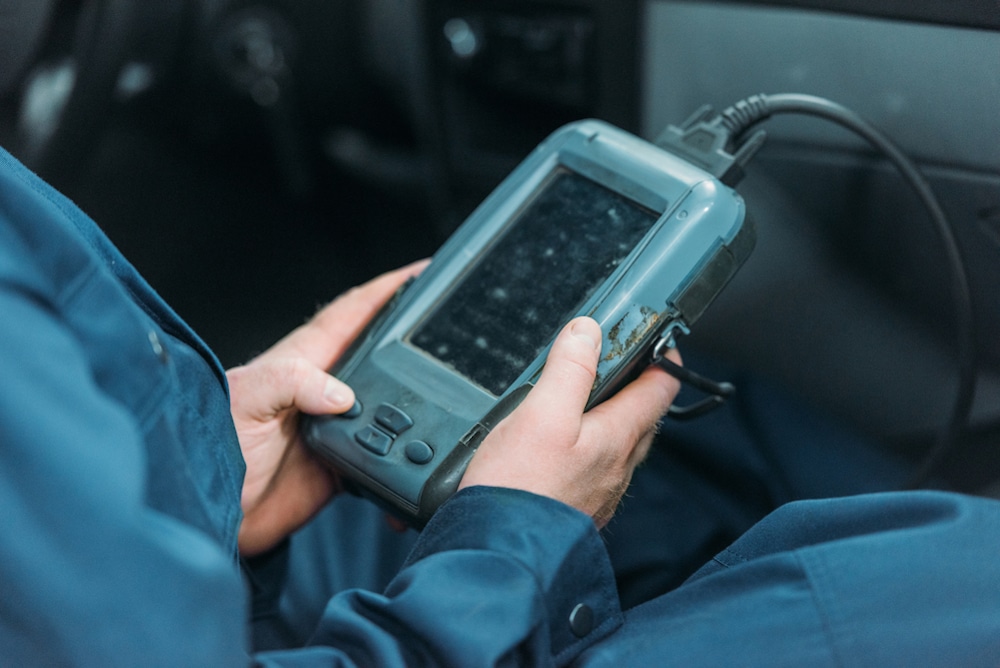
Typically, workshops use standalone devices mostly. Only trained technicians can easily understand the error codes displayed. (They are a series of numbers and letters that help determine where the issue is located.)
These devices may have their own battery or may utilize power from the OBD2 connector itself as their power draw is low. In addition, if you want to know more about a given fault code, you have to research on your own since the device will not give additional information.
OBD Scanner with App
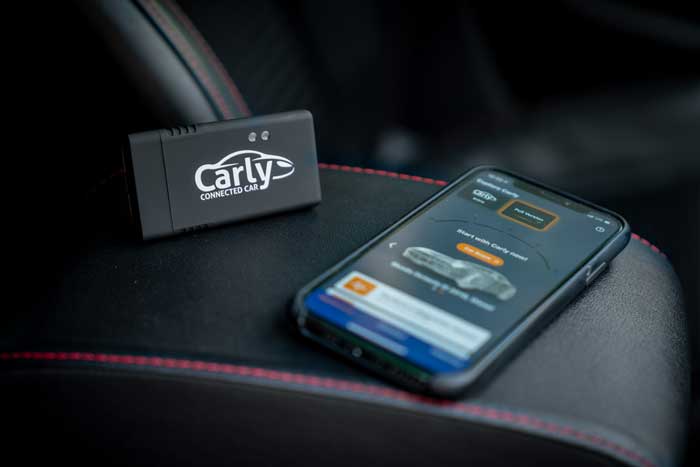
An OBD2 scanner with a mobile app is more popular among the enthusiast community. However, workshops have recognized the increased functionality and versatility that a scan tool offers.
Advanced OBD-II scanners can access multiple vehicle systems beyond just the engine, providing comprehensive diagnostics and repair suggestions based on manufacturer-specific trouble codes.
A Bluetooth or WiFi-enabled scanner can be easily plugged into a car’s OBD2 port. Afterward, you can establish a connection to your smartphone and access all of your car’s data through an app (eg: the Carly app).
The advantages of using mobile apps are that they:
- Are very powerful,
- Can provide more details and background information.
- Provide clear definitions
- Give a possible cause-relationship analysis of the error as well as the error code.
Some apps will advise you if you still need to visit a workshop after checking the codes, or whether it is safe to proceed with your journey. Moreover, in terms of information displayed, an app such as Carly can give you extensive and clear info.
Utilizing wireless scanners with a mobile app also makes it possible to control back your car for tuning and coding.
How Much Does an OBD2 Scanner Cost?
It is difficult to place a flat rate on an OBD scan tool. For example, you can find a basic scanner for €50 or less, as well as devices over €100, with very high-end devices around €5,000. There are several factors that influence the cost of an OBD2 scanner. These include:
- Is it an integrated scanner/reader, or a mobile app-designed one?
- Does it utilize Wi-Fi or Bluetooth for communication?
- The potential reading ability — is it basic or comprehensive?
- Does it allow two-way communication?
- Does it only read errors, or offer comprehensive diagnostic functionality?
- What is the speed of communication?
- Is the car coding feature included?
- Does it include lifetime warranty or only a short 1 to 3 year warranty?
The average user might ask, why don’t I simply go to a workshop each time my “Check Engine light” comes on and get them to read it? Well, that can cost you a lot of time and money, as engine lights can pop up fairly frequently.
What Is the Advantage of a Fault Analysis with an OBD2 Scanner?
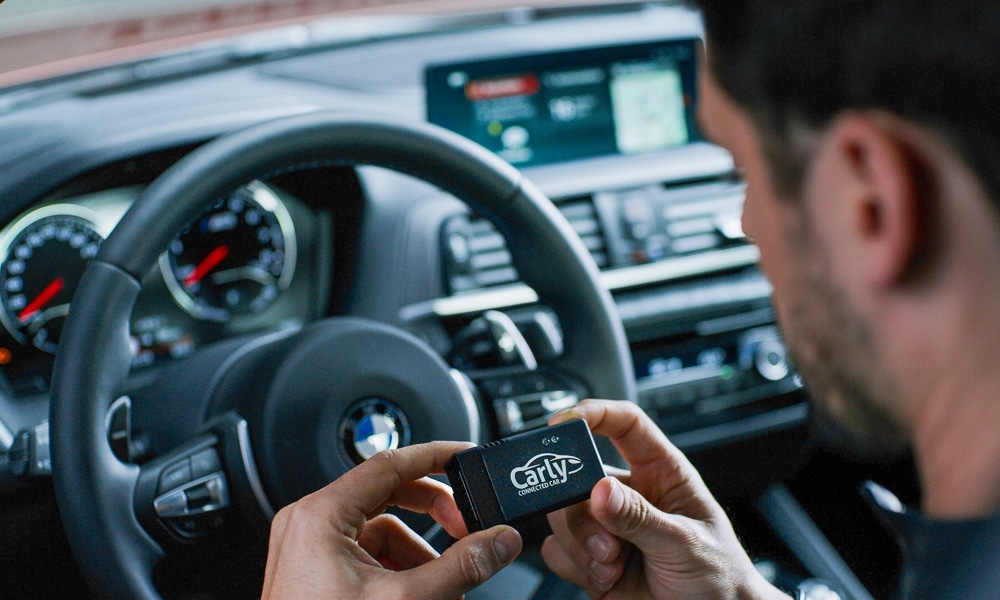
A workshop can charge between €30 and €50 for reading trouble codes. In the long term, buying an OBD2 scanner is always more cost-effective as you can avoid unnecessary visits.
Here are some factors you should consider when purchasing one.
1. Quality
It’s better to purchase from established manufacturers, often at a higher price than to purchase a cheaper, no-name, or unknown brand device that can cause more problems in the long run. Remember to check out reviews online before making your decision.
2. Updates
Some device manufacturers regularly update their equipment. Software updates are crucial in keeping the scanner up-to-date, especially for newer vehicles. Make sure that the OBD Scanner that you’re getting can get access to these software updates, whether for free or for a fee.
3. Car Manufacturer
Even though OBD2 is a universal standard, it can happen that a scanner is not compatible or doesn’t work well with your vehicle. So we recommend you check whether your chosen OBD scanner is compatible with your vehicle. Ideally, you should get an OBD scanner that can handle as many brands as possible, not just one or a few.
4. Privacy
Two important points to consider are data privacy and data protection. Many apps save your customer data on a server for easy access and historical records. The best apps provide precise information about their data collection policy and if they comply with any GDPR (General Data Protection Regulation).
5. Range of Functions
Furthermore, you should ensure that your chosen scanner is capable of reading all generic error codes, as well as outputting a comprehensive error diagnosis.
Moreover, we recommend you check if the scanner includes additional functions. For instance, Scanners such as Carly, contain advanced features that only $3,000 scanners offer. Thus, for a lower price, you can access as many features as you want.
OBD2 Apps and Their Advantages
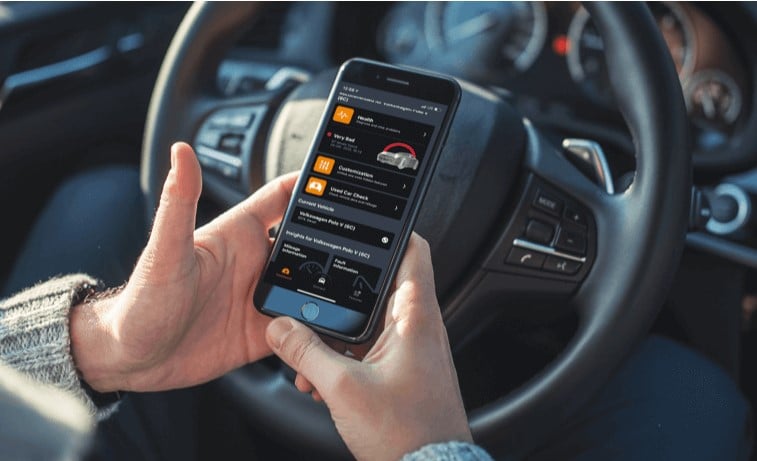
With a few taps, your iPhone & Android can become a diagnostic scan tool for your vehicle. You can quickly uncover errors without requiring a visit to a workshop. Apps like Carly, save you time and money!
Additionally, they don’t just diagnose small defects but provide detailed information on vehicle systems errors and whether it is safe to continue on your journey. Traditional OBD scanners with simple screens typically do not offer this much versatility.
Is an OBD Scanner the Right Car Diagnostic Tool for You?
An OBD (on-board diagnostics) scanner is a car diagnostic tool that can be used to diagnose and troubleshoot problems with a vehicle. It connects to the car’s computer system and retrieves diagnostic codes that can help pinpoint specific issues with the car’s systems.
OBD-II scanners are essential tools for vehicle diagnostics, providing comprehensive, real-time fault code detection, fault analysis, and repair guidance to help ensure vehicle health and maintenance.
OBD scanners are a helpful tool for diagnosing car issues, but they may not be the best option for everyone. Some people may prefer to take their car to a mechanic for diagnostic work, or may not have the knowledge or experience to effectively use an OBD scanner as a car diagnostic tool. Ultimately, whether or not an OBD scanner is the right car diagnostic tool for you will depend on your individual needs and abilities.
OBD2 Apps, in a Nutshell
- An OBD2 automotive scanner connects to the car’s diagnostic port located in the driver area.
- They connect to a mobile app on your smartphone via Bluetooth or Wi-Fi.
- The app can read and interpret stored error codes.
- It can also delete error codes once the fault has been rectified.
An OBD2 scanner is a mediator between your vehicle systems and your phone.
Some scanners are designed to work together with their respective app only. However, there are also universal apps that work with a wide variety of scanners but they can differ greatly and not offer the same level of reliability and versatility as a complete package.
The Carly App
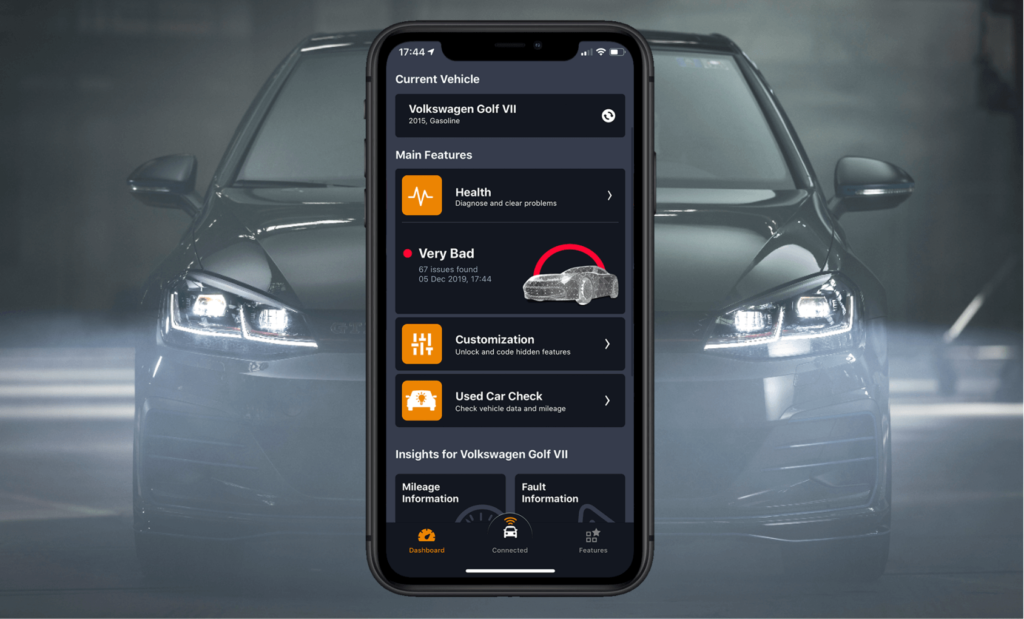
As a diagnostic device, Carly reads the error codes from the control unit. Additionally, it provides you information on to fix them or let you know if they are critical and you must stop driving. Moreover, after fixing any errors you can also clear them out from your vehicle with the Carly app.
The Carly Scanner is suitable for both iOS and Android operating systems and supports many different vehicle brands, including BMW, Mini, Skoda, Mercedes, Ford, Volkswagen, Toyota, Renault, etc…
Note: Carly only works in conjunction with the Carly Scanner.
Carly Scanner and App FAQs
- How much does it cost?
- The cost of the scanner and app varies depending on your country. In the United States, the scanner costs $79.90. Additionally, depending if you want all the Carly features unlock fo 1 car brand or for ALL car brands, it can cost you between $21 and $80. The Carly scanner comes with lifetime warranty.
- What are the supported smartphone operating systems?
- IOS & Android.
- Which vehicle models and brands are supported?
- Carly supports advanced functions for BMW, Seat, Skoda, Toyota, Volkswagen, Lexus, and Mini, Mercedes, Ford, and standard OBD functionality for most other brands.
Here is an overview of the various functions of the Carly app:
Carly Functions
Diagnostics
With the diagnostics feature, you can check for OBD-level (engine-only) errors and manufacturer-level errors (all other systems). Additionally, Carly will color code every error to indicate the severity level. You will also be able to know the overall health state of your car.
Coding
With Carly, you can code your lighting setting, which includes changing the brightness levels or even the indicator flashing intervals. Additionally, you can set optical or acoustic signals on the vehicle and different warning signals, such as a seat belt reminder. A feature that enthusiast love coding is their welcome lights, or deactivating the start/stop system.
DPF diagnosis
Drivers of diesel vehicles will find the “DPF diagnosis” function very interesting. This allows the status of the diesel particulate filter to be read out and the DPF to be manually regenerated. Cars with gas engines have a similar function to the NOX catalytic converter.
Used Car check
Carly’s Used Car Check allows you to identify if a car has undergone mileage tampering. Vehicles systems store their mileage across various control units as well as the instrument cluster, and Carly can analyze the information and identify any manipulations.
Real-time parameters
With this app, you also have the option of checking vehicle parameters while on the move, such as oil temperature, fuel pressure, etc.
Digital Garage
The app’s “Digital Garage” also saves various vehicle data, the error history, maintenance intervals, etc. in an easy-to-read manner at all times.
The Carly App in a Nutshell
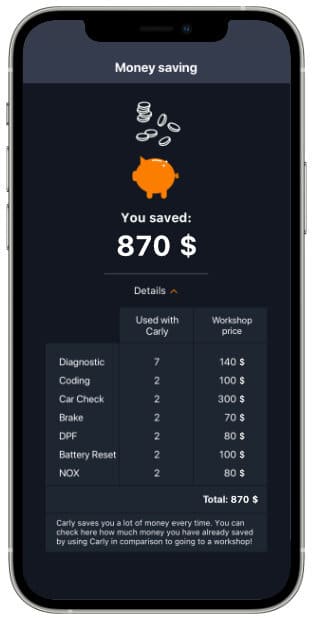
With the Carly app, you can run deep diagnostics on your vehicle and the fault memory. Additionally, you can access numerous features that are only implemented in professional-level devices. Some of these features include:
- Activation of hidden functions
- Resetting maintenance intervals
- Checking and manual regeneration of the diesel particulate filter
- A similar function for NOX catalytic converters
- Readout and deletion of error codes
- Detection of speedometer manipulation (used car check)
- Viewing engine parameters in real-time
Conclusion OBD2 scanner
We hope that you can now have a more comprehensive outline on the subject of OBD, history, scanners, car code readers, and mobile apps.
Buying an OBD2 scanner can easily help you save money on your car and always know its health state. Diagnostic trouble codes (DTCs) provide the right direction for troubleshooting by guiding you to the source of the problem. However, you should keep in mind your requirements. Are you mainly looking for a simple car code reader, or do you want a more comprehensive analysis and real-time monitoring of vehicle parameters? More advanced models of OBD2 scanners offer deeper diagnostic insights beyond basic code reading, including features like detailed fault explanations and code lookup capabilities, making them suitable for professionals and serious enthusiasts.
Our recommendations are based on having evaluated dozens of products and categories through hands-on testing and personal experience. We do not accept payment for links or product placement, ensuring our editorial independence and unbiased recommendations.
Whatever you are looking for, we recommend using an app such as Carly. With this solution, you can have access to any feature that you want without extra charges for additional and advanced functions.